Agri-Steer AutoTrac™ kits for Fendt®, Massey Ferguson®, Case IH® and more
Your AutoTrac™.
Every tractor in the yard.
Agri-Steer lets you run John Deere® AutoTrac™ on other brands of tractor, using the GreenStar™ display and receiver you already own. Same screen, same lines, same resume button. No second system to learn.
Keep your compatible Deere guidance
Steer-ready & non-steer-ready

335
Machine models in our compatibility finder
19
Manufacturers represented
87
Machine series covered
128
Kit options in our shop
Same screen, every cab
The display your operators already know.
Agri-Steer works through your existing GreenStar™ display, so the guidance screen, lines and controls look and behave exactly as they do in your Deere.
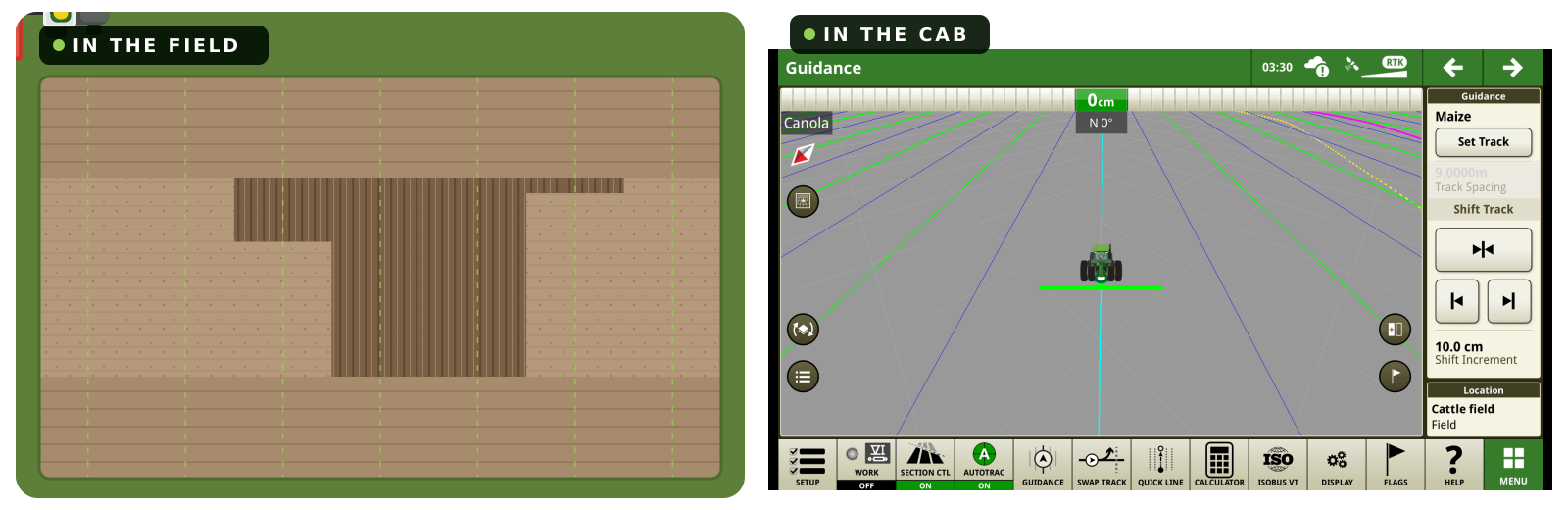
Same guidance lines
Use the guidance lines from your AutoTrac™ fleet.
Your receiver and RTK
The StarFire™ receiver and correction signal you already pay for carry straight over.
Same track controls
Set Track, track spacing and shift buttons work as they always have.
AutoTrac™ Functionality
Same functionality, different machine.
Why Agri-Steer
Mixed fleet.
One way of steering.
Most farms don't run one colour. Agri-Steer lets the guidance kit you've already paid for follow you onto every machine, so operators, A-B lines and field data stay the same whichever cab they climb into.
Keep the kit you own
Your GreenStar™ display and StarFire™ receiver move between machines. Skip buying a second guidance system for every other-brand tractor.
One system to train on
Every operator uses the same screen, menus and engage routine. Fewer mistakes at the headland, less time teaching new staff.
Compatible with multiple generations
Agri-steer is compatible with:
- Legacy 1800, 2600 and 2630 displays
- Gen4 and 5 displays
- All Starfire™ GNSS receivers
Find your
perfect fit.
Choose your machine to explore compatible kits and fitting notes.
Need a hand? Talk to our team →What are you driving?
Every colour in the yard
Find an Agri-Steer kit for your machinery.
Kits for selected models from these manufacturers. Choose a brand to browse available kits.
Two kits
Pick the kit that matches your machine.
Steer-ready tractors only need a brain and a harness. Older tractors get the full hydraulic kit so they can steer like new ones.
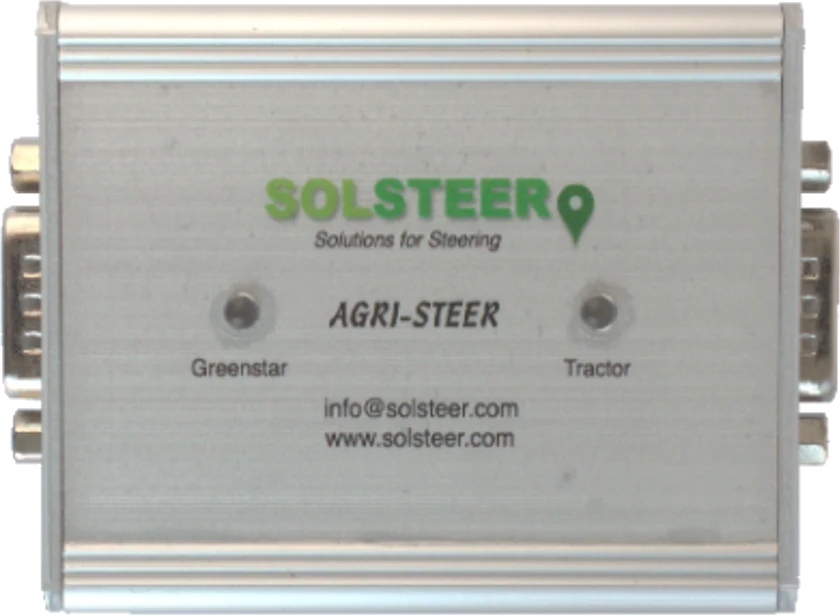
Steer-Ready Kit
For tractors with factory autosteer hydraulics
Plugs into the steering components already on the machine. No extra hydraulics required.
In the box
- Agri-Steer control module
- Pre-configured, machine-specific wiring harness
What you get
- Uses the tractor's own resume switch
- ISOBUS integration and coverage triggers where available
- Yield data recording on supported combines
~90 min
Average install, first fit
Plug & play
No new hydraulics
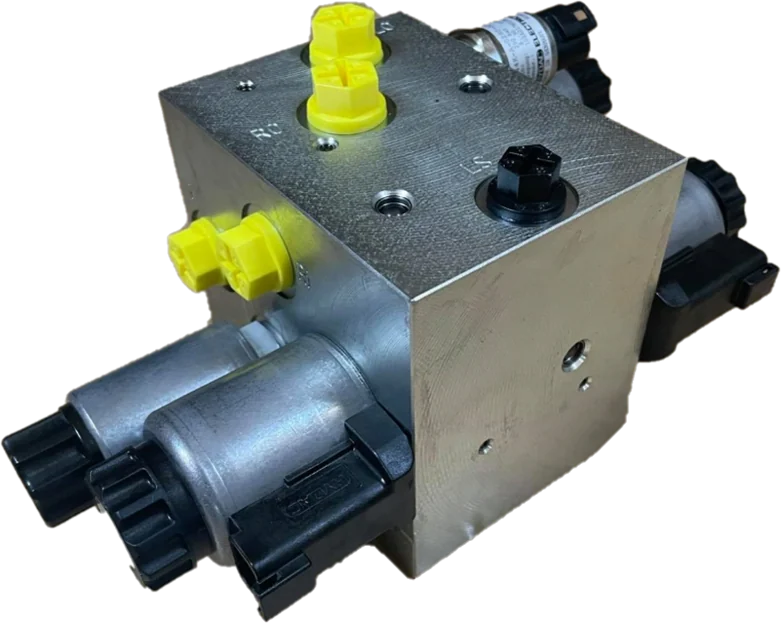
Hydraulic Steering Kit
For older or non-steer-ready tractors
Adds everything the machine is missing, fully integrated into its own hydraulics.
In the box
- Open or closed-centre steering valve
- Agri-Steer control module
- Wiring harness
- Gyroscopic wheel-angle sensor
Why a gyro sensor
No linkage arms to fit or wear out, and no specialist tools needed to mount it.
Dealer fit
With our technical support
Open / Closed / Dynamic-Closed
Centre hydraulics covered
How it works
Agri-Steer sits between your Deere kit and the tractor.
The control module translates AutoTrac™ steering commands into the language the host machine understands, so your display steers the tractor just as it would a Deere.
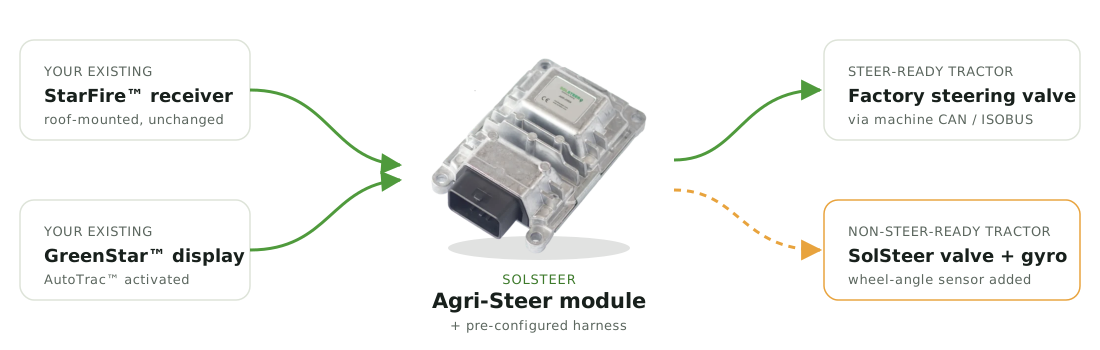
Steer-Ready Kit path
Hydraulic Steering Kit path
Setup, calibration and diagnostics
Get set up. Get calibrated.
See what is happening.
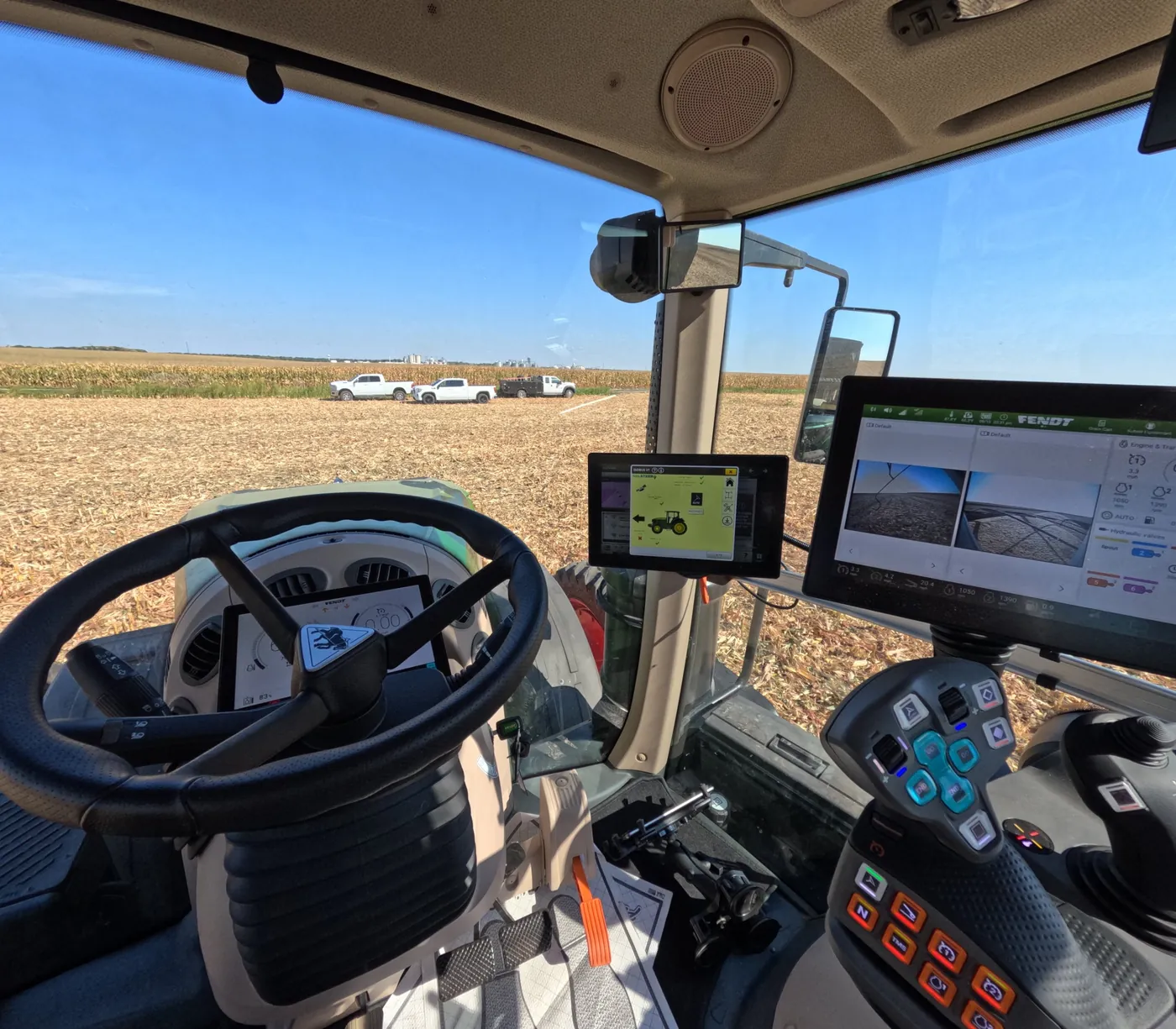
Access Agri-Steer's interface through the ISOBUS Virtual Terminal on your compatible display, with setup, AutoCal and machine status together.
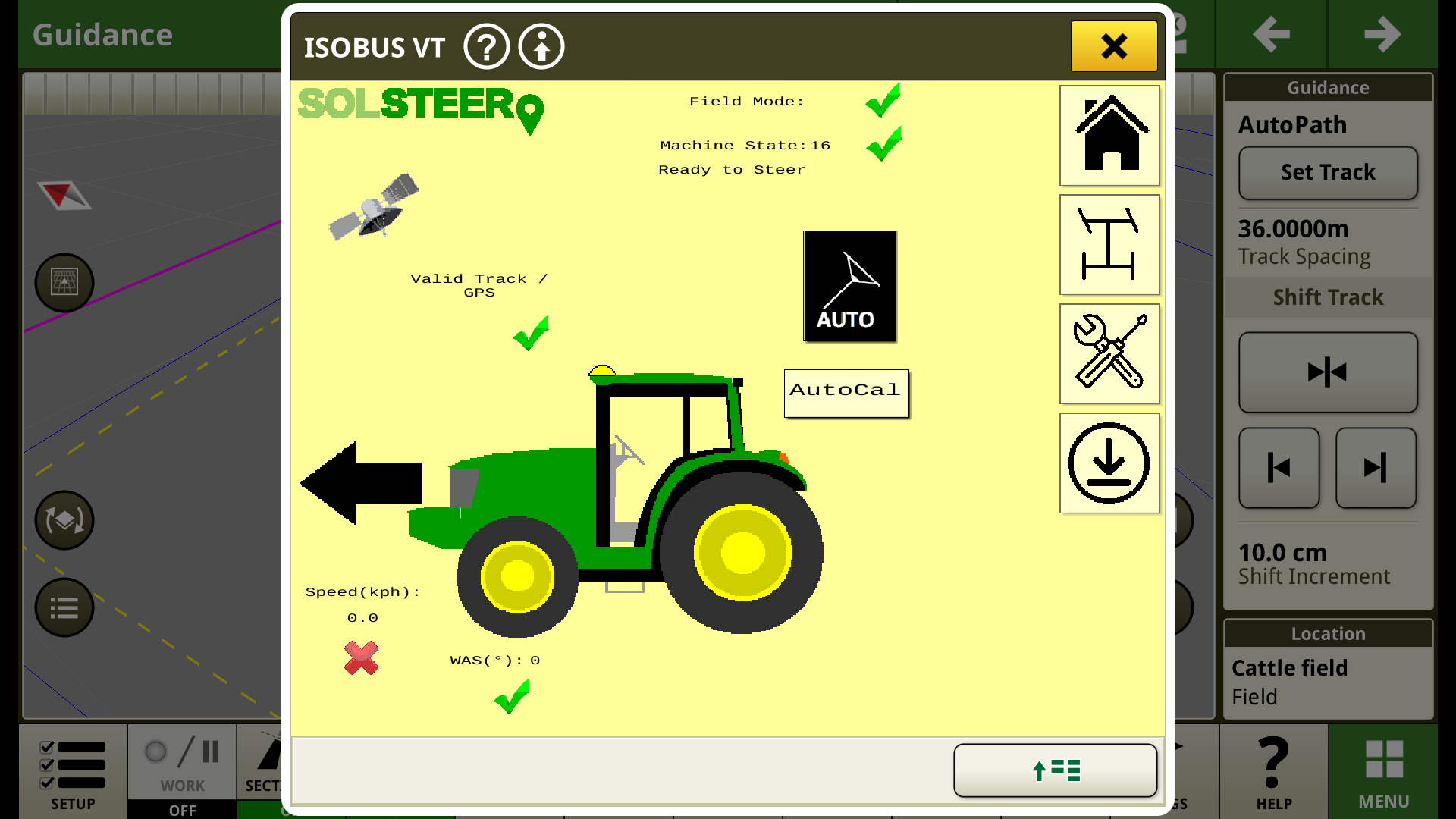
Setup on your display
Access machine settings through our interface on your compatible terminal.
AutoCal at hand
Access the calibration function from the interface to help set up the steering system for your machine.
Status you can check
View GPS and track validity, machine state, speed and wheel-angle readings to help you and your dealer diagnose issues.
Supported John Deere® features
What you use in the Deere, you get in the other cab.
Agri-Steer keeps the features you rely on day to day, not just straight-line steering.
01
AutoTrac™
Hands-free steering on your existing guidance lines, engaged from the familiar screen.
Agri-Steer passes AutoTrac™ steering commands from your GreenStar™ display straight to the host tractor's steering, so it holds the guidance line hands-free, pass after pass. Engage it from the display or with the tractor's own resume switch, just as you would in a Deere.
You'll need
- AutoTrac™ activation on your display
- StarFire™ receiver with the correction level you already use
02
AutoPath™
Reuse paths recorded on other machines so every operation lines up with the last.
AutoPath™ builds guidance from the paths your machines actually drove, so the drill, sprayer and combine can all follow the same lines. Record a pass on one machine and the next one can pick it up, whatever its colour.
You'll need
- AutoPath™ activation on your display
- Recorded paths shared through your display data or John Deere® Operations Center
03
Turn Automation
Automated headland turns to cut operator workload at the end of every pass.
AutoTrac™ Turn Automation makes the headland turn for you and lines up on the next track, so the operator can concentrate on the implement at the end of every pass instead of the steering wheel.
You'll need
- AutoTrac™ Turn Automation activation
- Field and headland boundaries set up on the display
04
Implement Steering
Keep the implement on line, not just the tractor, where your setup supports it.
Where your setup supports it, the display steers the implement as well as the tractor, keeping it on line on side slopes and in drift. It matters most in row crops and anywhere the implement has to follow the tractor exactly.
You'll need
- John Deere® implement guidance activation
- An implement fitted for active steering
05
Yield Mapping
Record yield data from supported other-brand combines/foragers straight into your Deere records.
On supported combines/foragers, Agri-Steer passes harvest data through to your GreenStar™ display, so yield is recorded and mapped alongside your Deere machines, in the same records and the same format.
You'll need
- Harvest documentation set up on your display
- A combine model listed as supported in our catalogue
06
MachineSync™
Coordinate machines in the field, such as combine and grain cart, across brands.
MachineSync™ lets machines in the same field work together, for example a combine and grain cart, or two machines sharing coverage so they don't overlap, even when they are different brands.
Follower mode only on compatible tractors.
You'll need
- MachineSync™ activation on each display
- A JDLink™ modem or wireless data connection on each machine
Feature availability depends on machine, kit and your John Deere® activations. Check your machine in the Kit Finder above.
From enquiry to field
Fitted by people who know your machine.
Agri-Steer is sold and fitted through our authorised dealers, so you get local help during installation and afterwards, backed by our engineers.
01
Check
Use the compatibility check above, or give your dealer the make, model and serial number.
2 minutes
02
Order
Your dealer confirms the exact kit and harness for your machine from our catalogue.
via your dealer
03
Fit
Steer-ready kits are plug and play. Your dealer installs hydraulic kits with support from our technical team.
~90 min steer-ready
04
Drive
Plug in your display and receiver, calibrate, and you're steering on your usual lines.
same day
The alternatives
Why not just buy another system?
Putting a second brand's guidance in every other-colour tractor works, but it means more screens, more subscriptions and more training.
| Feature | Agri-Steer | OEM guidance system | Motor-on-wheel kit |
|---|---|---|---|
| Uses your existing GreenStar™ display & receiver | Yes | No | No |
| Same interface across the whole fleet | Yes | No | No |
| Steers through the tractor's hydraulics | Yes | Yes | No, turns the wheel |
| Uses the tractor's own resume switch | Yes | Usually | No |
| John Deere® data & features (AutoPath™, yield) | Yes | No | No |
| Local dealer fitting & support | Yes | Yes | Varies |
In the field
Running on other colours, every season.
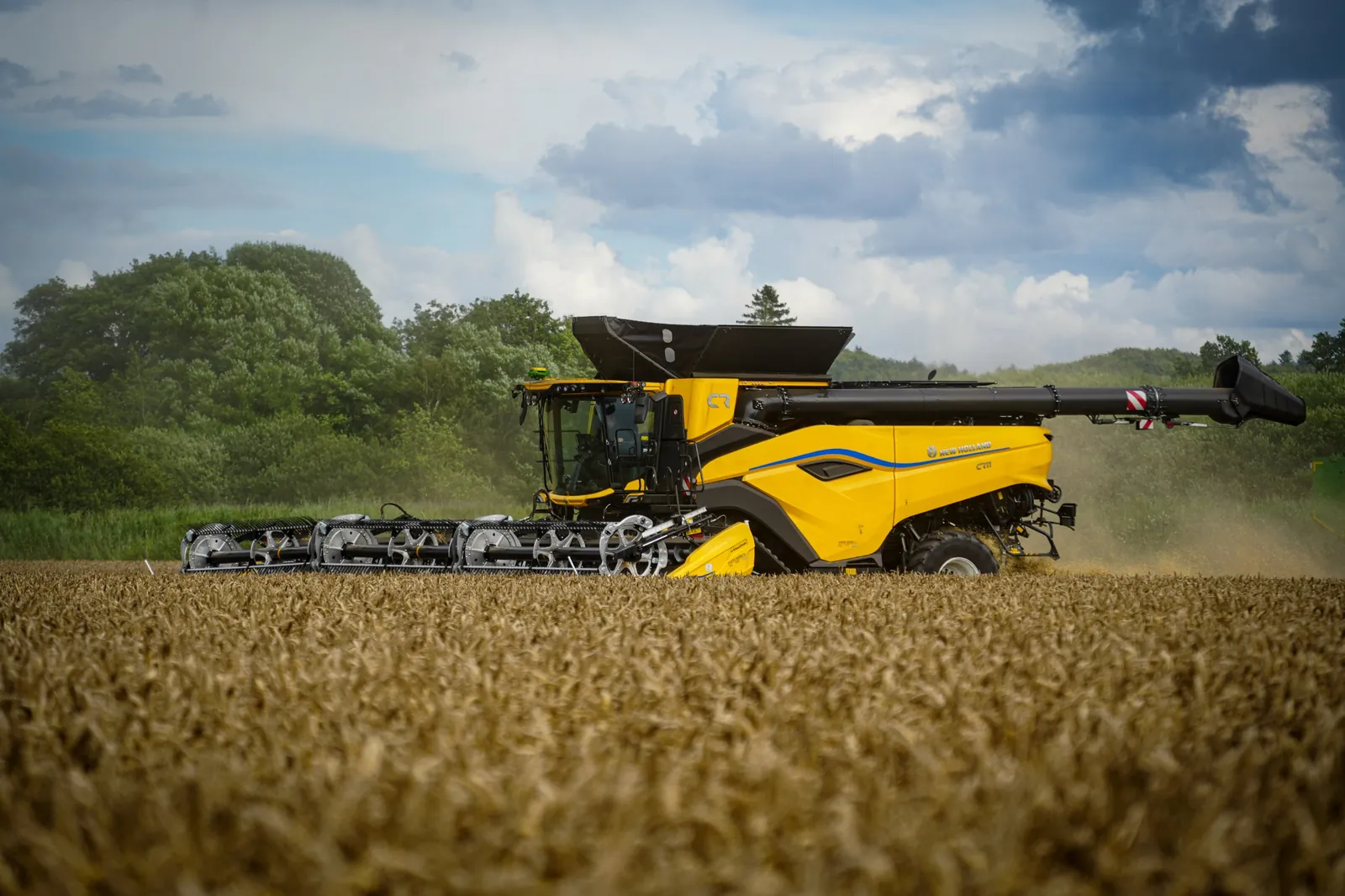
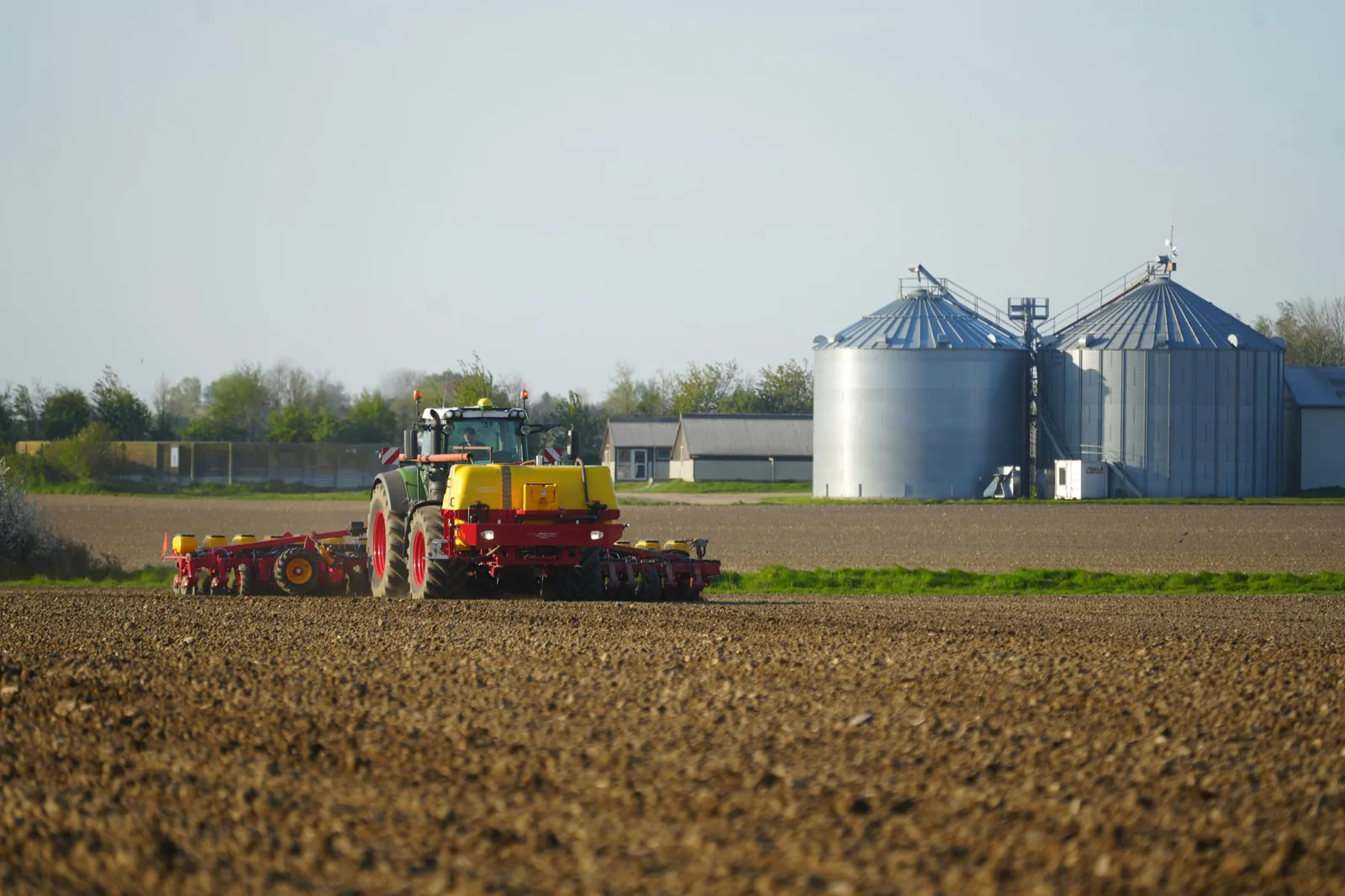
From spring drilling to harvest, the same guidance runs on tractors and combines of every colour.
FAQ
Questions farmers ask us
Still not sure?
Send us your machine's make, model and serial number and we'll confirm the right kit.
Ask our teamNo. Agri-Steer is designed around the GreenStar™ display and StarFire™ receiver you already own. You move them into the other machine and the Agri-Steer kit stays fitted there.
If it was built with factory autosteer components, it's steer-ready and needs the Steer-Ready Kit. If not, you'll need the Hydraulic Steering Kit. Use the compatibility check above, or give your dealer the serial number and they'll confirm.
Steer-ready kits are plug and play, with an average first install of around 90 minutes. Hydraulic kits involve fitting a valve and sensor, so your dealer will book a dedicated install.
Yes. Supported combines can also record yield data back to your John Deere® system. Check the catalogue for your model.
Through our authorised dealers, so you get local fitting and support. Find your nearest dealer.
Your dealer is your first point of contact, both during installation and afterwards. If they need help, they work directly with our technical team. You can also contact us directly or use the Help Center.
Ready to put AutoTrac™ in every cab?
Your local dealer will confirm the kit, fit it and support it.
Or talk to our team about your machine.